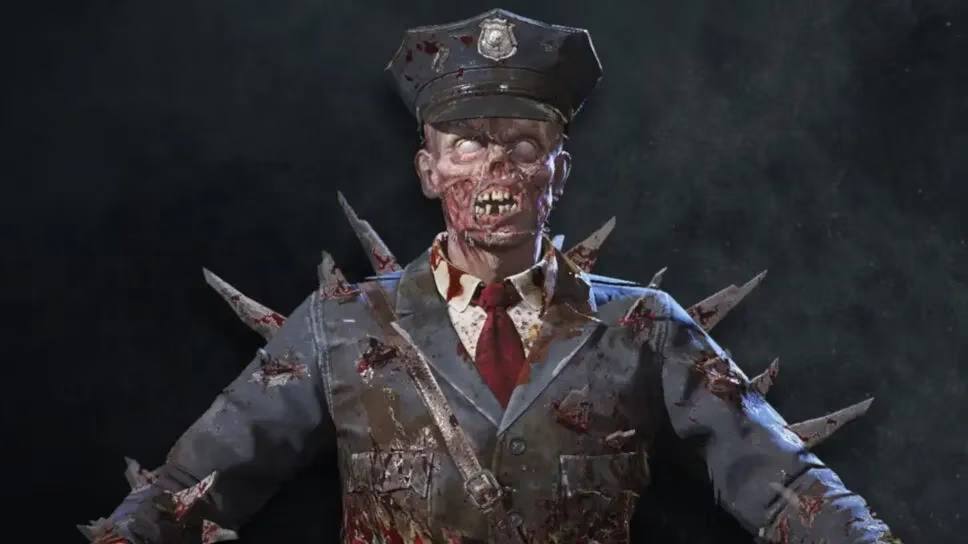
Attention all soldiers and zombie hunters! 🧟♂️🎮 In 2026, Call of Duty: Mobile continues to serve up incredible freebies for its dedicated players. One of the coolest offerings available right now is the Zombie – Mob Guard Epic Operator Skin, and the best part? It's completely free for Prime Gaming members. This isn't just any skin; it's a statement piece that screams you're ready for the undead apocalypse. Let's dive into the step-by-step guide on how to claim this epic cosmetic before it's gone!
Step 1: Access Your Prime Gaming Account
First things first, you need to be a Prime Gaming member. If you're not, don't worry! You can often sign up for a free trial through Amazon Prime or Prime Video. Just make sure your region is supported. Once you're all set, head over to the Prime Gaming homepage and get ready to claim your loot.
Step 2: Find and Claim the CoD Mobile Offer
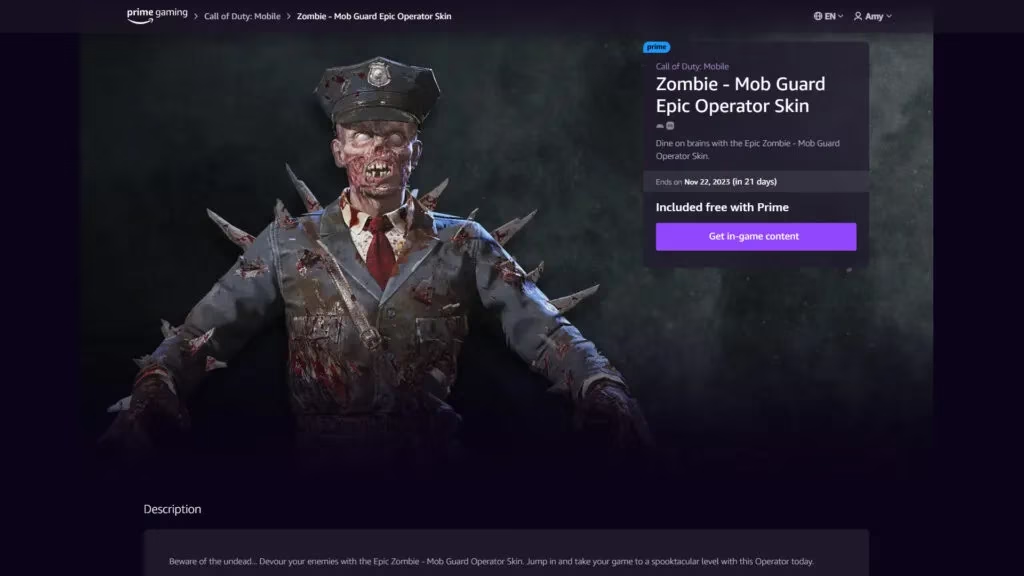
Now for the fun part! On the Prime Gaming site, use the search bar and type in "Call of Duty." You'll see the offer for the Zombie – Mob Guard skin pop up. Look for that enticing purple "Claim" button and give it a click. A new page will load with all the details.
Step 3: Get Your Unique Redemption Code
On the offer page, you'll see a button labeled "Get in-game content." Press it! This action generates a unique, one-time-use code just for you. Crucially, you must copy this code immediately. It's your golden ticket to the skin, so don't lose it!
Step 4: Redeem the Code in CoD Mobile
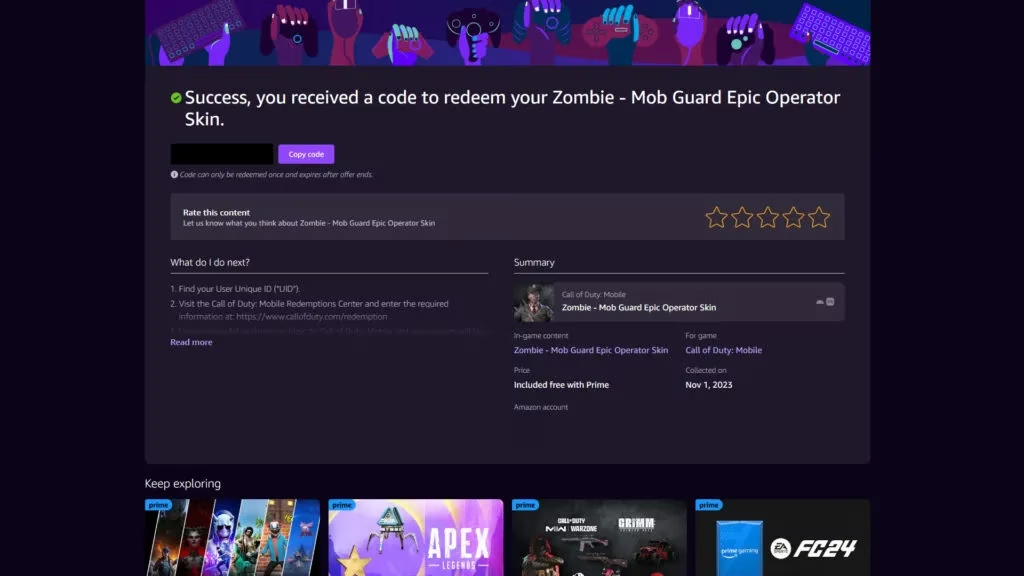
This is the most important step. You have two main options for redemption:
Option A: Using the Official Redemption Center (Recommended)
-
Open a web browser on your phone or computer and go to the official CoD Mobile redemption center.
-
You will need to enter your User Identification Number (UID). To find this:
-
Launch CoD Mobile on your device.
-
Go to your profile (usually under the "Basic" tab).
-
Your UID will be displayed there. Copy it.
-
-
On the redemption website, paste your UID and the unique code you copied from Prime Gaming.
-
Complete any verification process (like a CAPTCHA).
-
Hit the "Submit" button!
Option B: In-Game Redemption (If Available)
Sometimes, codes can be entered directly in the game. Check the settings or events menu for a "Redeem Code" section.
Step 5: Claim Your Prize In-Game
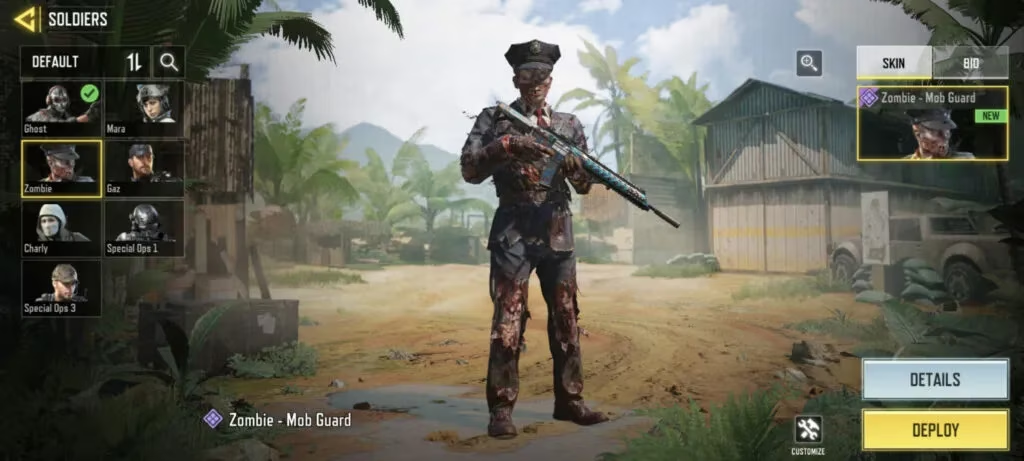
After successfully submitting your code, the final step is to collect your reward. Go back into CoD Mobile. Look for the mail icon, usually in the top right corner of the main lobby screen. Tap it, and you should see a new message containing your shiny new Zombie – Mob Guard Epic Operator Skin. Claim it, and it will be added directly to your inventory! 🎉
Pro Tips & Important Reminders for 2026
-
Act Fast: These Prime Gaming offers are often time-limited. Don't wait until the last minute!
-
Code Safety: Your redemption code is unique to your account. Never share it publicly.
-
Region Checks: Always confirm that Prime Gaming and specific game offers are available in your country.
-
Trial Users: If using a free trial, note the end date. Your claimed rewards are yours to keep even if the trial ends.
And there you have it, soldiers! A complete, up-to-date guide for 2026 on snagging one of CoD Mobile's most visually striking free skins. The Zombie – Mob Guard is perfect for showing off in multiplayer matches or during the game's seasonal zombie events. It's a fantastic way to refresh your operator's look without spending a single Credit or CP. Now get out there, claim your skin, and dominate the battlefield in undead style! 🔥
What's your favorite free skin you've ever gotten in CoD Mobile? Share your thoughts below! 👇